Tools We Use at WheelieNames — Honest Recommendations for Educators
Most people who use WheelieNames are teachers, classroom managers, or content creators who also run their own websites on the side. We get questions about hosting, local development setups, and website tooling all the time, so we put this page together to share what actually works for us. Every tool listed here is something the WheelieNames team has used directly, not something we picked up from a sponsored list.
We keep this list short on purpose. If a tool is here, it earned its spot. Some links on this page are affiliate links, meaning we may earn a small commission if you sign up through them. That never affects which tools we recommend or what we say about them. You can read our full policy below.
Kinsta — Managed WordPress Hosting
Kinsta is a managed WordPress hosting provider that runs on Google Cloud infrastructure. When you host with Kinsta, you get a server environment that handles WordPress specifically, rather than a generic shared host where you compete for resources with thousands of other sites. That matters when your classroom website needs to load quickly for 30 students hitting it at the same time, or when you publish a tutorial post that gets shared in a teacher Facebook group and suddenly gets a spike in traffic.
We moved to Kinsta after dealing with slow load times and support tickets that went unanswered for days on a cheaper host. The difference was immediate. Pages loaded faster, uptime was solid, and when something needed fixing, the support team actually knew WordPress inside out. For a small team running a tool like WheelieNames, not having to babysit the server is genuinely freeing.
Kinsta works best for educators and content creators who are past the "just testing an idea" stage and want their site to perform reliably. If you run a teacher blog, a resource site, or an online course, the performance difference over budget hosting is real and noticeable to your visitors. Kinsta also offers a 30-day money-back guarantee, so there is no risk in trying it.
Why educators choose Kinsta
- ✓Fast page loads backed by Google Cloud and a global CDN — visitors in any country get quick response times.
- ✓Expert WordPress support available 24/7, not a generic helpdesk reading from a script.
- ✓Built-in staging environment so you can test changes before pushing them live, even on lower-tier plans.
- ✓Automatic daily backups with one-click restore, which matters when a plugin update breaks your site.
- ✓Education pricing available — contact their sales team if you are building tools or resources for classrooms.
DevKinsta — Free Local WordPress Development
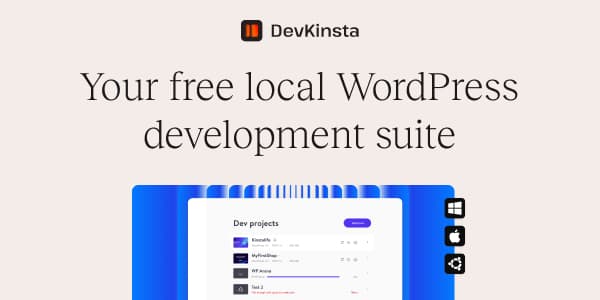
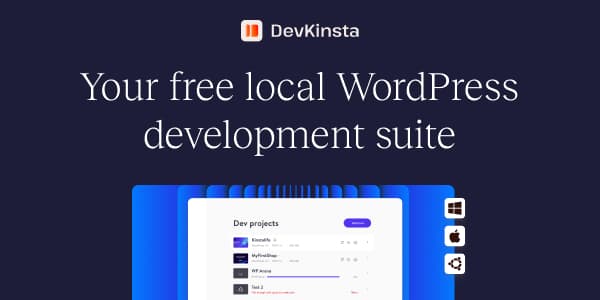
DevKinsta is a free desktop application that runs a complete WordPress environment on your own computer, offline, with no hosting account needed. You get a real WordPress install, a local database, and a working site you can open in your browser, all without paying for hosting or touching a server. It runs on Mac, Windows, and Linux.
The reason we recommend DevKinsta before you pay for hosting is simple: you should build and test your site before spending money. If you are setting up a teacher portfolio, a classroom blog, or a resources directory, DevKinsta lets you pick a theme, install your plugins, and figure out your content structure on your laptop first. When you are ready to go live, you can push the whole site to Kinsta with a single click from inside the app.
DevKinsta is useful for anyone who wants to learn WordPress without risking a live site, or who wants to experiment with a new theme or plugin without touching their production install. It is also a solid tool for teachers who want to demo how websites work to their students in a classroom setting, with no internet connection required.
What you get with DevKinsta
- ✓Completely free, no trial period, no credit card required.
- ✓Fully offline — runs on your machine without an internet connection.
- ✓Full WordPress environment including database, PHP, and a local server in one install.
- ✓One-click push to Kinsta when you are ready to go live — no manual migration needed.
Why we only recommend tools we use
We get outreach from tool vendors pretty regularly asking us to feature their products. We say no to most of them. The tools on this page are ones we have used ourselves over time, not products we agreed to promote in exchange for payment or early access. If something stops working well for us, or if a better option comes along, we update the page. That is the deal.
Some links on this page are affiliate links. If you click through and sign up, we may earn a commission at no extra cost to you. We are transparent about this because it is the right thing to do, and because we want you to trust the recommendations here. The affiliate relationship does not change what we say about any tool. You can read the details in our full affiliate disclosure.
How these tools connect to WheelieNames
WheelieNames started as a classroom tool, and most of the people using it are teachers or educators who also manage their own web presence. We regularly hear from users who are setting up a classroom website for the first time, or who want to move away from a slow, overpriced host. These pages are our answer to those questions. Instead of writing a quick email reply each time, we documented the tools we actually rely on.
If you want more detail on the hosting side specifically, we put together a full guide covering what to look for when choosing a host for a teacher or educator site. It covers speed, cost, support, and what to avoid. Read: Best Hosting for Teacher Websites in 2026 →


We may earn a commission if you purchase through links on this page, at no extra cost to you. Full disclosure.