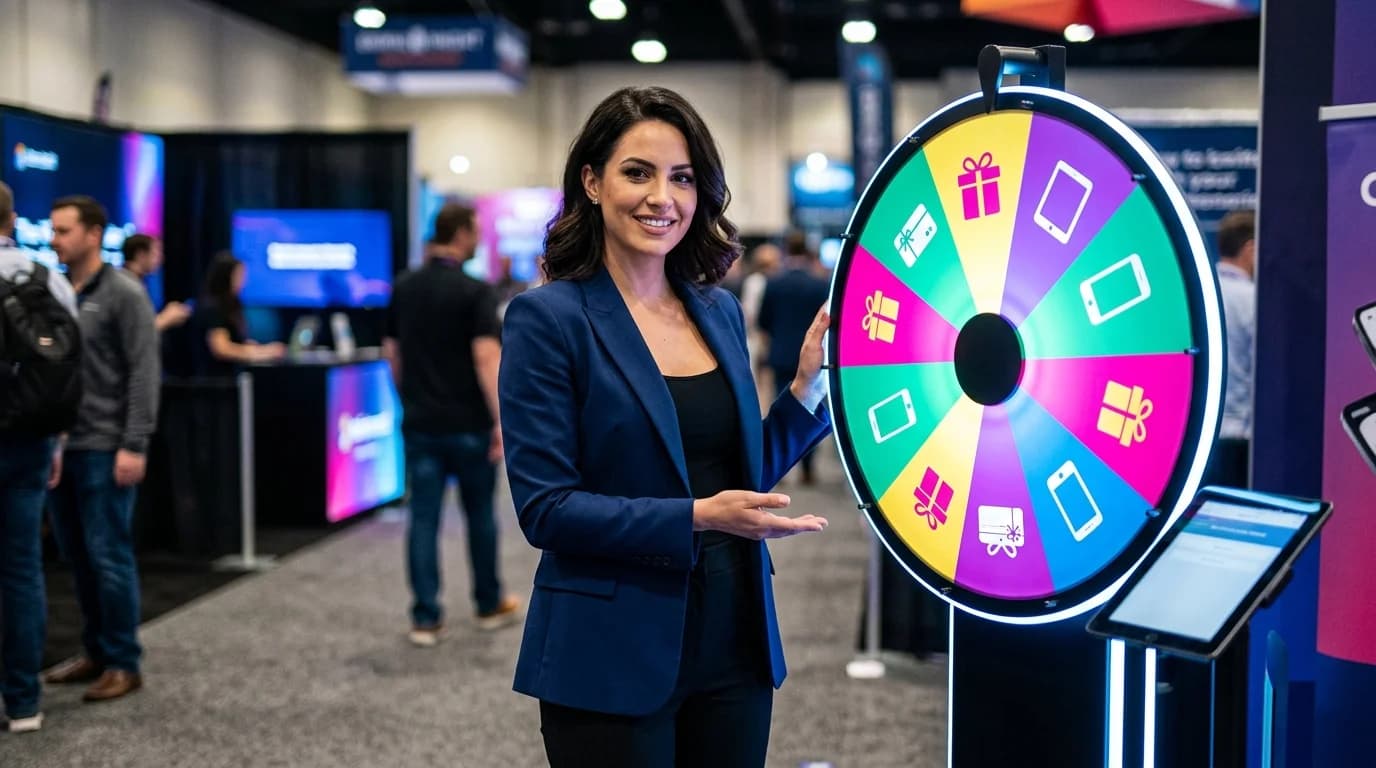
5 Ways Streamers Use Free, No-Ad Spinning Wheels to Explode Chat Engagement
Quick Answer
Spinning a wheel on stream creates a 3-5x spike in chat messages — one of the highest single-activity engagement boosts available to streamers. This guide covers 5 specific setups for Twitch and YouTube, including subscriber giveaways, chat-controlled challenges, viewer games, multi-tier prizes, and community decisions. Every method includes OBS integration steps, expected viewer reactions, and how to handle trolls before they derail the moment. For content creation tools that complement your streaming workflow, see the AI Content Empire Builder in our app store.
TL;DR
This guide covers 5 specific ways streamers on Twitch and YouTube use free, ad-free spinning wheel tools to generate chat engagement spikes. Each method includes OBS setup instructions, expected chat response, troll-handling tips, and the viewer psychology behind why spinning works. Streamers report 3-5x normal chat message rates during wheel spins. The guide also covers screen sharing setup, Stream Deck integration ideas, and how to build a multi-tier prize structure that creates multiple engagement peaks within a single stream.
Key Takeaways
- •Wheel spins generate 3-5x normal chat message rates — one of the highest single-activity engagement spikes available
- •5 specific setups: subscriber giveaways, chat-controlled challenges, multi-tier prizes, viewer games, and community decisions
- •OBS browser source setup for WheelieNames takes under 5 minutes and keeps the wheel ad-free on stream
- •Troll mitigation requires preparation: mod bot filtering + brief entry windows + manual override rights
- •Multi-tier prize structures create 3+ engagement peaks per stream vs. one for single-winner formats
Data Window: Streaming engagement analysis: 2023-2025
Sources & Citations:
Table of Contents
Why Your Chat Goes Silent During Giveaways
Most streamers run giveaways like this: announce winner selection, paste the name from a random.org result, and read it out. What happens in chat? A brief spike when you announce the giveaway, then silence while you fumble with the selection tool, then a small congratulations wave for the winner. The engagement window is tiny and passive.
The silence comes from a broken feedback loop. Viewers enter a giveaway, then have nothing to do until a name gets announced. There's no visible process, no anticipation, no moment where chat is part of what's happening. You've essentially asked people to submit a form and wait — which isn't streaming, it's administration.
A spinning wheel changes the entire dynamic. The spin is a performance. Viewers watch a visual process, cheer for specific names, react in real time to the result. The engagement isn't waiting for the answer — it's participating in the question. That's the difference between passive giveaway and live interactive content. According to StreamElements engagement data, interactive activities like wheel spins consistently rank among the top engagement-per-minute events in any stream session.
Setting Up WheelieNames for Live Stream (OBS + Browser Source)
Before covering the 5 methods, you need a clean setup. Here's the exact workflow for OBS:
OBS Browser Source Setup (5 minutes)
- Step 1: In OBS, add a new Scene called "Wheel Spin" (or add a source to your existing giveaway scene).
- Step 2: Add a Browser source. Set the URL to WheelieNames. Set width to 1280 and height to 720 (or match your stream resolution).
- Step 3: Check "Shutdown source when not visible" — this prevents the page from refreshing unexpectedly when you switch scenes back.
- Step 4: Pre-load your name list before going live. Names persist in local storage, so the list is ready when you switch to the scene.
- Step 5: Add a hotkey in OBS settings to switch to your Wheel scene. Practice the scene switch 3-4 times before your stream so it's smooth on-air.
- Step 6: Test the full flow off-stream: enter names, spin, see how the result looks on your stream preview. Check that no ads appear — WheelieNames is ad-free, but verify before going live.
Stream Deck integration: If you have an Elgato Stream Deck, assign your "Switch to Wheel Scene" hotkey to a button. Label it with a wheel icon. This gives you a one-button transition to the spin moment without fumbling with keyboard shortcuts mid-stream.
Streamlabs users: The process is nearly identical. Add a Browser source with the WheelieNames URL. The main difference is scene management — use Streamlabs' scene switcher rather than OBS hotkeys. Either way, the goal is the same: one action switches you to the wheel with no visible fumbling.
5 Ways to Use the Wheel on Stream
Way 1: Subscriber-Only Giveaway Spin
The most common use, but most streamers execute it poorly. The typical mistake is announcing the giveaway, immediately collecting entries, and spinning within 2 minutes. That gives your non-live audience no chance to tune in and your live viewers no time to build anticipation. A better structure creates a 15-20 minute engagement arc.
Setup: Open entries via a chat command (!enter or !giveaway) 20 minutes before the spin. Set a visible countdown on screen if possible. Mention the giveaway periodically during the entry window — not constantly, but every 5-7 minutes. Close entries 2 minutes before the spin and paste the list into WheelieNames. Switch to your wheel scene and spin live.
Expected chat response: Spike at giveaway announcement, sustained elevated activity during the entry window (viewers entering, cheering each other on), major spike during the spin countdown, explosive reaction at the result. The entry window is particularly powerful because viewers are invested and watching closely.
Tips: Limit entries to subscribers or followers to create a participation tier that non-subscribers want to achieve. Announce the prize well before the spin — vague "something cool" prizes generate less anticipation than specific items. For high-value prizes (hardware, game keys, significant gift cards), consider doing multiple smaller spins leading up to the main prize to create layered engagement peaks throughout the stream.
Way 2: Chat-Controlled Challenge Wheel
Instead of spinning for a winner, spin for what YOU have to do. Load the wheel with challenges your chat submitted: specific game modes, difficulty levels, character restrictions, cosmetic limitations, or completely off-topic dares relevant to your streaming personality. Spin to determine the next 20 minutes of your gameplay.
Setup: Before the stream (or at the start), open a 10-minute window for chat to submit challenge ideas via command. Your mods filter for content-appropriate submissions. You paste the approved list into WheelieNames. Spin to determine the challenge, then play that challenge. When it's complete (or you fail), spin again.
Expected chat response: Chat is deeply invested because they authored the challenges. When a challenge they submitted comes up, they react strongly. When you struggle or fail their challenge, chat celebrates. When you succeed easily at a "difficult" challenge, chat debates whether it was actually hard. The engagement is sustained throughout the gameplay, not just during the spin.
Tips: Include a few "mercy" options on the wheel that are easy. Pure difficulty without relief becomes frustrating for you and for viewers. Keep each challenge time-limited (20-30 minutes maximum) so the wheel spins frequently — more spins mean more engagement peaks. Save the hardest challenges for the end of stream when your audience is most invested. You can pair this format with content creation tools like the AI Content Empire Builder to repurpose your best challenge moments into short-form clips for YouTube and TikTok.
Way 3: Viewer Name Pick for 1-on-1 Game
If your game supports inviting players or you can join a viewer's game, spinning to pick which viewer you play with is one of the most powerful engagement formats available. You're not giving away a product — you're giving away access to you. For most of your audience, playing with their favorite streamer for 30 minutes is more valuable than any game key.
Setup: Open entries for viewers who are online in your game (or willing to join). Collect their in-game usernames via chat command. Paste into WheelieNames. Spin live. Message the winner immediately through the platform to invite them. The connection process can be on-stream — viewers enjoy watching the coordination happen.
Expected chat response: Extremely high entry rates because the prize is unique and personal. The spin itself generates strong reactions from viewers watching their names come up and disappear. After the spin, the rest of chat watches the play session with unusual attention — they're seeing what they could have won, and they're curious how the interaction between you and the viewer goes.
Tips: Have a backup plan if the winner is slow to connect or doesn't respond. Pre-spin a second name as a "standby" — show this to chat so they know there's a contingency. Set expectations for the length of the play session upfront (30 minutes is standard). This format works best when you're genuinely good at your game — viewers want to see skilled play, not a frustrating carry attempt.
Way 4: Multi-Tier Prize Wheel
Single-winner giveaways create one moment of engagement. Multi-tier giveaways create 3-5 moments. Structure the wheel to spin multiple times across the stream: grand prize at the end, two or three smaller prizes at mid-stream intervals, and a participation reward for anyone who entered but didn't win. This architecture keeps the giveaway relevant throughout the stream rather than a single event people tune in for then leave.
Setup: Define three prize tiers before the stream. Announce all tiers at the start so viewers know what's at stake throughout. Collect all entries at the beginning. For the first spin (smaller prize), remove all winning names from subsequent spins. Second spin for the second prize. Grand prize spin comes last, creating a climax moment. Each spin should be separated by 45-60 minutes of content.
Expected chat response: Extended viewer retention throughout the stream — people who might have dropped after an hour stay for the next spin. Between spins, chat periodically references the upcoming draw. Each spin generates a fresh engagement wave. Late-stream engagement (which typically drops on most streams) stays elevated because the grand prize is still ahead.
Tips: The participation reward tier is critical. Give something to everyone who entered but didn't win — a Discord role, a shoutout in your next stream announcement, a free sub if your channel has Twitch Affiliate status. This prevents the 80% who don't win from feeling like they wasted their time. The best prize structures make every entrant feel like participating was worth it regardless of outcome.
Way 5: Community Decision Wheel
Let the wheel make decisions that affect your whole community, not just one winner. Load it with poll options that chat has been debating — which game to play next stream, which character to main, which stream theme for the month, which charity to donate to. The spin becomes a community governance moment, not a giveaway. The stakes feel higher because everyone is affected by the outcome.
Setup: Gather options through a pre-stream poll or chat discussion. Finalize the wheel with 4-8 options. Add each option's name and briefly describe what it means before spinning. Let chat discuss and debate for 2-3 minutes while the wheel is visible and loaded. Then spin. Commit fully to the result — the wheel's authority only holds if you're genuinely bound by it.
Expected chat response: Strong reactions proportional to how much the decision matters. If you're choosing the next game from options chat genuinely cares about, the spin generates the same engagement as a major giveaway. Afterward, viewers who "won" the vote are invested in the outcome. Viewers whose option lost are curious to see how their preference would have played out.
Tips: Use this format for decisions you're genuinely okay with any outcome for. Don't spin a community decision wheel for something you're going to override if you don't like the result — chat will notice and it damages the format's credibility. The best community decision wheels include at least one chaotic or unexpected option that makes chat nervous, which builds tension before the spin.
Handling Trolls and Spam Entries
Chat-controlled wheels are the highest-engagement format, but they require a troll mitigation plan executed before the wheel loads, not after you see a problem on-stream. Here's the complete pre-stream checklist:
Pre-Stream Troll Mitigation Checklist
- Mod bot filtering: Configure your bot (Nightbot, StreamElements, Moobot) to filter entries containing slurs, offensive terms, or competitors' brand names. Add these to your bot's banned phrase list before the entry window opens.
- Entry window limits: Set a 2-minute maximum entry window, not open-ended. Long windows accumulate problematic entries and give you less control over the list before it goes on the wheel.
- Pre-stated rules: Verbally state before opening entries: "I reserve the right to remove any entry that violates stream rules. One entry per person — duplicate entries will be removed." This sets expectations and is your legitimate basis for manual removal.
- Mod team on standby: Have at least one moderator watching chat during the entry window. They should be in your Discord or a separate chat ready to flag problems before you paste the list.
- Manual review step: Don't paste directly from chat to the wheel. Export entries to a text document first, scan for problems, then paste the clean list. This 60-second step catches things the bot misses.
- Emergency plan: If something gets through to the wheel that shouldn't be there, stop the spin before the result. Say "technical issue, spinning again" — don't explain the troll entry publicly, that gives it attention it doesn't deserve.
Screen Sharing Without Showing Desktop Notifications
Nothing breaks a giveaway moment like a desktop notification appearing mid-spin. Here's how to prevent it across the major setups:
Desktop Notification Prevention
- Windows: Enable Focus Assist (Do Not Disturb) before going live. Set it to "Alarms only" to suppress all notifications. Find it in Settings → System → Focus Assist.
- Mac: Enable Do Not Disturb from the Control Center. This suppresses all notifications system-wide.
- Browser notifications specifically: Go to your browser settings and disable notifications for the browser entirely during streams, or use a separate streaming browser profile with notifications disabled by default.
- OBS Browser Source advantage: When using WheelieNames as an OBS browser source rather than a screen share, your desktop notifications never appear on-stream at all — the browser source is isolated from your desktop environment. This is the cleanest approach.
- Slack, Discord, email: Either close these applications before going live or enable Do Not Disturb mode within each application. Discord has a native "Do Not Disturb" status that suppresses all notification sounds and pop-ups.
Viewer Psychology: Why Spinning Works
Understanding why spinning generates engagement helps you design better spin moments, not just more frequent ones. The psychology operates on three mechanisms:
Mechanism 1: Uncertainty Locks Attention
The moment a wheel starts spinning, viewers don't know the outcome. Psychological research on attention and uncertainty shows that humans are wired to watch uncertain outcomes more closely than certain ones. The same mechanism that makes sports gripping (we don't know who wins) applies to spinning wheels. Viewers who might have been half-paying attention become fully focused during a spin because they want to know the result.
Mechanism 2: Personal Stake Activates Emotion
When a viewer's name is on the wheel, watching that wheel spin is emotionally activating. Their name could come up at any moment. That emotional activation — anticipation, hope, anxiety — triggers the impulse to express something in chat. The act of commenting "PLEASE NO" or "COME ON COME ON" is a release valve for the tension the spin creates. Chat activity during a spin is largely driven by this emotional release mechanism, not by information exchange.
Mechanism 3: Shared Experience Creates Community
Watching the same spin happen at the same time creates a brief shared experience for your entire audience. Everyone in chat is watching the same thing, reacting to the same stimulus, at the same moment. This synchronization is rare in content consumption (most of streaming is passive viewing) and it creates a community feeling that's distinct from just watching a stream. Viewers who experienced a memorable wheel spin together remember it as a shared event — "I was there when your name came up" — which builds attachment to the stream and to other community members.
Structuring your wheel moments to maximize all three mechanisms means: giving viewers personal stakes (their name on the wheel), building visible anticipation (countdown, discussion before spin), and making the spin a communal event (on-screen, not a separate tool they can't see). WheelieNames as an OBS browser source delivers all three. The audience sees the same wheel you're interacting with, their names are visibly present, and the spin happens in shared time.
Related: the full case study on how ad-free giveaways build streamer trust the full case study on how ad-free giveaways build streamer trust. For broader giveaway mechanics, see 10 creative uses for random name pickers and how to run a free, fair wheel giveaway with no account required.
Frequently Asked Questions
What are the best free spinning wheel tools for streamers?
The best free spinning wheel tools for streamers prioritize three things: no ads (so your viewers don't see competing brands or random banners during the reveal), no registration required (you don't want to be logging into accounts mid-stream), and a clean visual that looks good on screen. WheelieNames checks all three boxes. It loads instantly in any browser, runs completely ad-free, and has a visual that reads clearly even when sharing a small portion of your screen. For streamers using OBS or Streamlabs, adding WheelieNames as a browser source and toggling it in and out with a scene switch takes about 5 minutes to set up.
How do spinning wheels increase viewer engagement on Twitch?
The psychology here is well-documented: uncertainty drives attention. When a wheel is spinning, viewers don't know the outcome — and that uncertainty keeps them watching. Chat gets active because people start rooting for (or against) specific outcomes. This is the same mechanism that makes slot machines addictive, applied in a benign, community-focused context. Practically speaking, streamers who use wheel spinners for giveaways report 3-5x the normal chat message rate during the spin compared to their streaming baseline. The spike typically lasts 5-8 minutes around the reveal — which is one of the highest-engagement windows in any given stream.
Are free spinning wheel tools safe for streaming giveaways?
Safety here has two dimensions: technical and fairness-related. On the technical side, reputable tools like WheelieNames use cryptographically secure random number generation — the outcome can't be predicted or influenced once the spin starts. On the fairness side, the ad-free clean interface matters because viewers can see exactly what's happening. A cluttered, ad-supported interface raises visual questions about whether something else is going on. Before using any tool for a high-value giveaway, do a test spin off-stream and verify that the result looks clean on your screen share and that no unexpected pop-ups or ads appear.
Can I use spinning wheels on mobile streaming platforms?
Yes, though the setup is slightly different from desktop streaming. On mobile, you'll typically use a screen recording or split-screen feature rather than a browser source in OBS. The cleanest approach for mobile streamers: open WheelieNames in your phone's browser, switch to it during the giveaway segment, and return to your camera after the spin. WheelieNames is fully mobile-responsive, so the wheel renders correctly on phone screens. Test this off-stream first to ensure you're comfortable with the screen switch — stumbling with it live can break the moment you've built up.
What makes a spinning wheel tool suitable for professional streaming?
Professional streaming requires tools that enhance the experience rather than interrupt it. The non-negotiables are: completely ad-free (no random banners visible to your audience during a giveaway reveal), fast load time (a spinner that takes 10 seconds to load during a live stream is a dead air problem), clean and readable visual at any screen size, and no required account creation mid-stream. Beyond the basics, the best tools have enough customization to match your stream's visual identity — color schemes, entry count limits, spin speed — without being so complex that they distract you from your stream.
How do I handle trolls when chat controls the wheel?
Chat-controlled wheels are one of the highest-engagement stream formats, but they require a troll mitigation strategy before you go live. The most effective approach: use a moderator bot to filter entries (remove usernames with slurs or offensive names before they appear on the wheel), set a brief entry window (1-2 minutes) rather than open-ended entry that accumulates problematic submissions over time, reserve the right to manually remove entries that violate your stream rules (state this clearly before you open entries), and have your mods in a Discord or team chat watching for problems in real time. With these systems in place, chat-controlled wheels almost never have problems — and when they do, you're ready.
How far in advance should I promote a wheel spinner giveaway?
The optimal promotion window for a streaming giveaway is 3-5 days of advance notice. Long enough that your regular viewers know to tune in, short enough that anticipation doesn't fade. Post about the upcoming spin on your social channels 3-4 days out, remind your Discord 48 hours out, and put it in your stream schedule 24 hours out. During the stream leading up to the spin, mention it periodically — "We're spinning the wheel for the giveaway in about 30 minutes, make sure you're still here" — to hold viewers who might otherwise leave. This pre-stream promotion typically increases concurrent viewer count during the giveaway segment by 20-40% compared to unannounced wheel spins.
Should I let viewers see all the names on the wheel before spinning?
This depends on whether you want to prevent early spoilers. Showing all entries publicly before the spin is the most transparent approach — viewers can verify their entry is included and that no one was unfairly added or removed. However, if you have thousands of entries, a wheel with 2,000 names is hard to visually verify and the spin itself becomes harder to read. A good middle ground: show a scrolling preview of entries (brief enough that people can check their name is there, not long enough to read every entry), then spin. You can also export your entry list and post it as a text file linked in chat, which proves the full list without making it the focus of the stream.
What are the best giveaway prize structures for streaming wheel spins?
Multi-tier prize wheels consistently outperform single-winner formats for streaming giveaways. A structure that works well: grand prize (game, subscription, hardware — something chat has strong feelings about), second tier (smaller game or item code, 3-5 winners), participation tier (a Discord role, a shoutout, or a free month of tier 1 sub). With three tiers, you spin three times across the stream, creating three engagement peaks rather than one. Each spin generates another wave of chat activity. The participation tier prizes are important because they give viewers a reason to enter even if they don't expect to win the grand prize — they're still in it for the role or recognition.
Related Articles
Share This Article
Help spread the word and share with your network
Preview:5 Ways Streamers Use Free, No-Ad Spinning Wheels to Explode Chat Engagement Streamers who switch from ad-heavy giveaway tools to ad-free wheel spinne...